A GPU-hosted algorithms lab for you and your AI agents
VectorFall is a scientific lab on your own NVIDIA card: high-performance computing for citizens. You bring your own data
(tables, text, audio, images and time series) to serious algorithms. Each result is scored against chance and against simple baselines,
so you can see if the result is real. Every operation is also a REST, JSON-RPC and MCP tool for AI agents.
One imagefor tested cards from Kepler through Ampere
250+operations, each a REST, JSON-RPC and MCP tool
8.4 GFLOP/sFP64 LINPACK measured on a 1 GB Quadro K420
What it does
A lab for your own data
VectorFall puts algorithms from research on your card: echo state networks, Monte Carlo simulation, N-body models, search over
text, signal processing and combinatorial search. Each lab takes your data in and gives an answer out. The answer comes with a score
against chance and against a simple baseline, such as “always down” or “nothing changes”. When a method does not
beat the baseline, the lab tells you.
Home
Start from a question
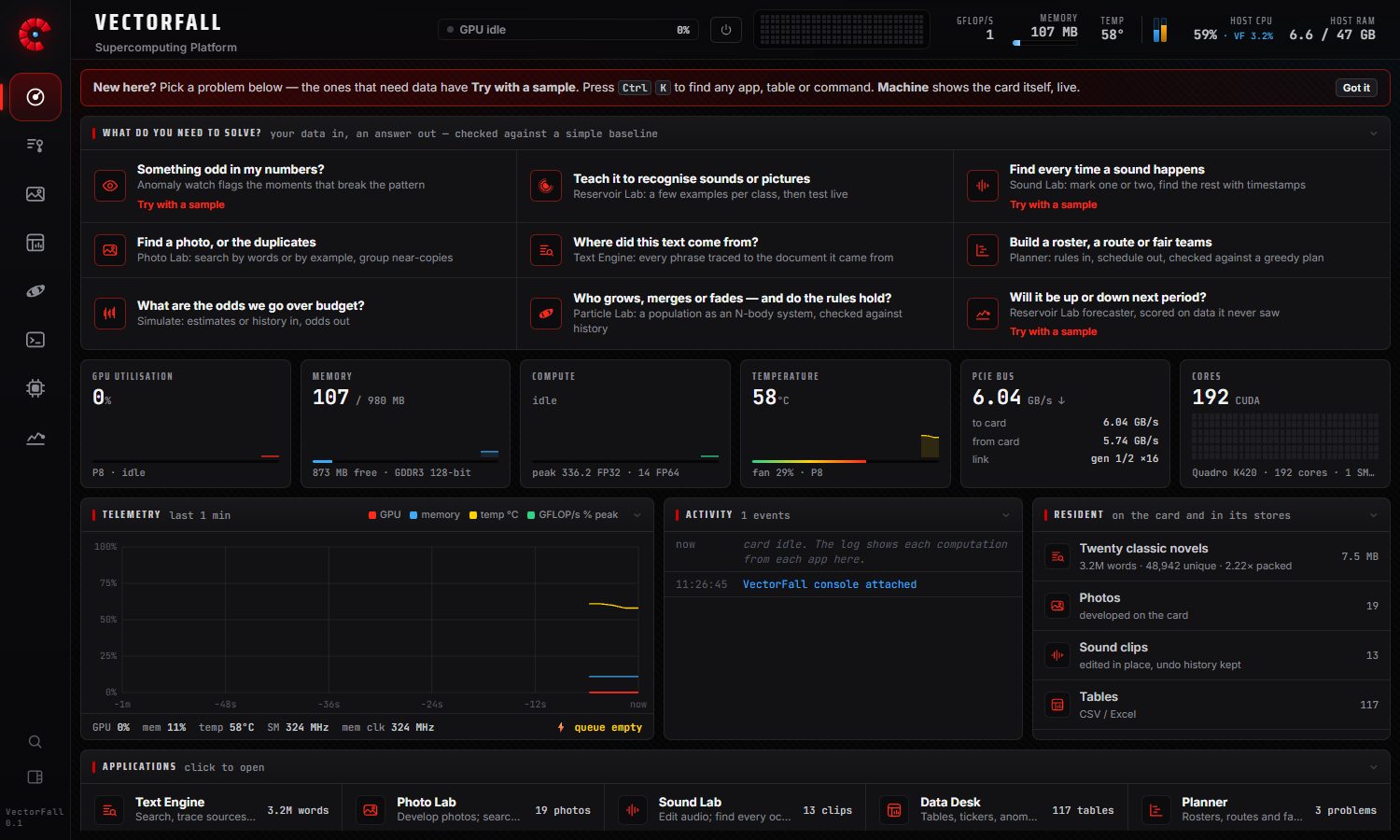
The home screen lists problems in plain words: something odd in my numbers, find every time a sound happens, build a roster. Each one opens the lab that solves it. Problems that need data have a sample, so you can try them first. The panels below show the card live: use, memory, temperature, PCIe speed and the jobs on the card.
Learn from examples
Reservoir Lab
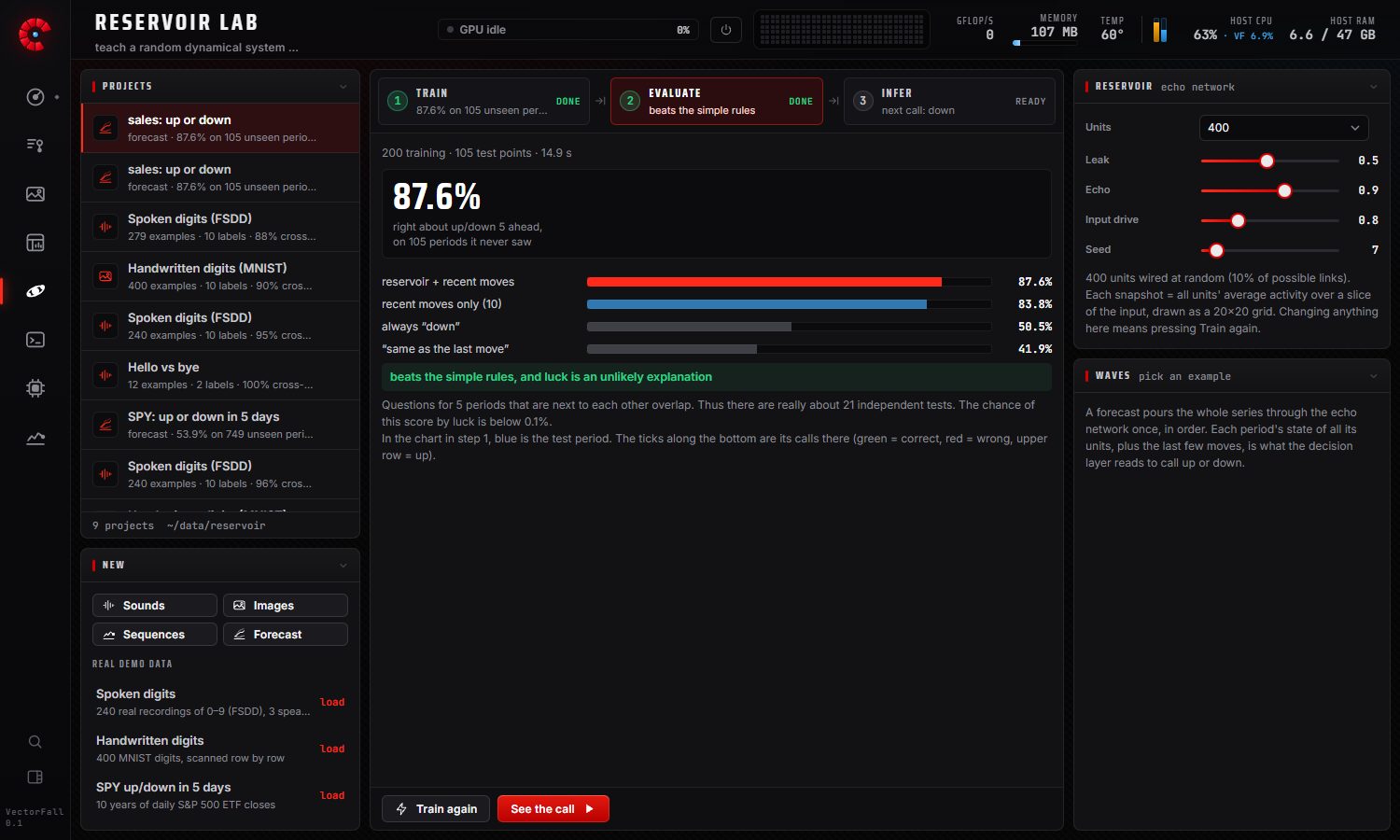
Teach an echo state network to recognise sounds or pictures from a few examples, or to forecast a series. Every project goes Train, Evaluate, Infer. Here a forecast is right about up or down on 87.6% of 105 periods that it never saw. The simple rules score 83.8% (recent moves only) and 50.5% (always down), and the lab gives the chance that luck explains the score.
Images
Photo Lab
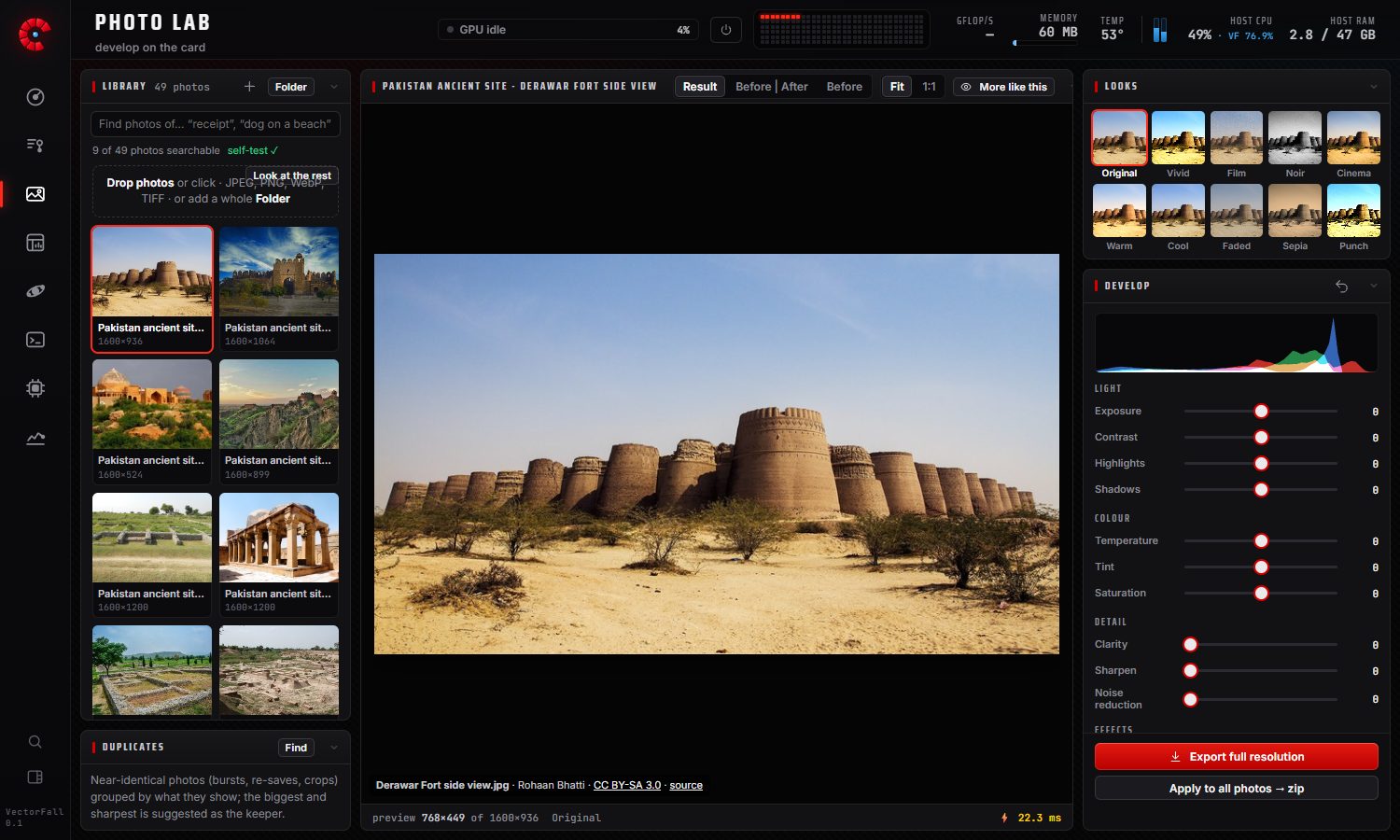
Develop photos on the card: exposure, colour, clarity, noise reduction and ten looks, with a live histogram. Search your library by words or by example, and group near-identical photos, with the biggest and sharpest suggested as the one to keep.
Audio
Sound Lab
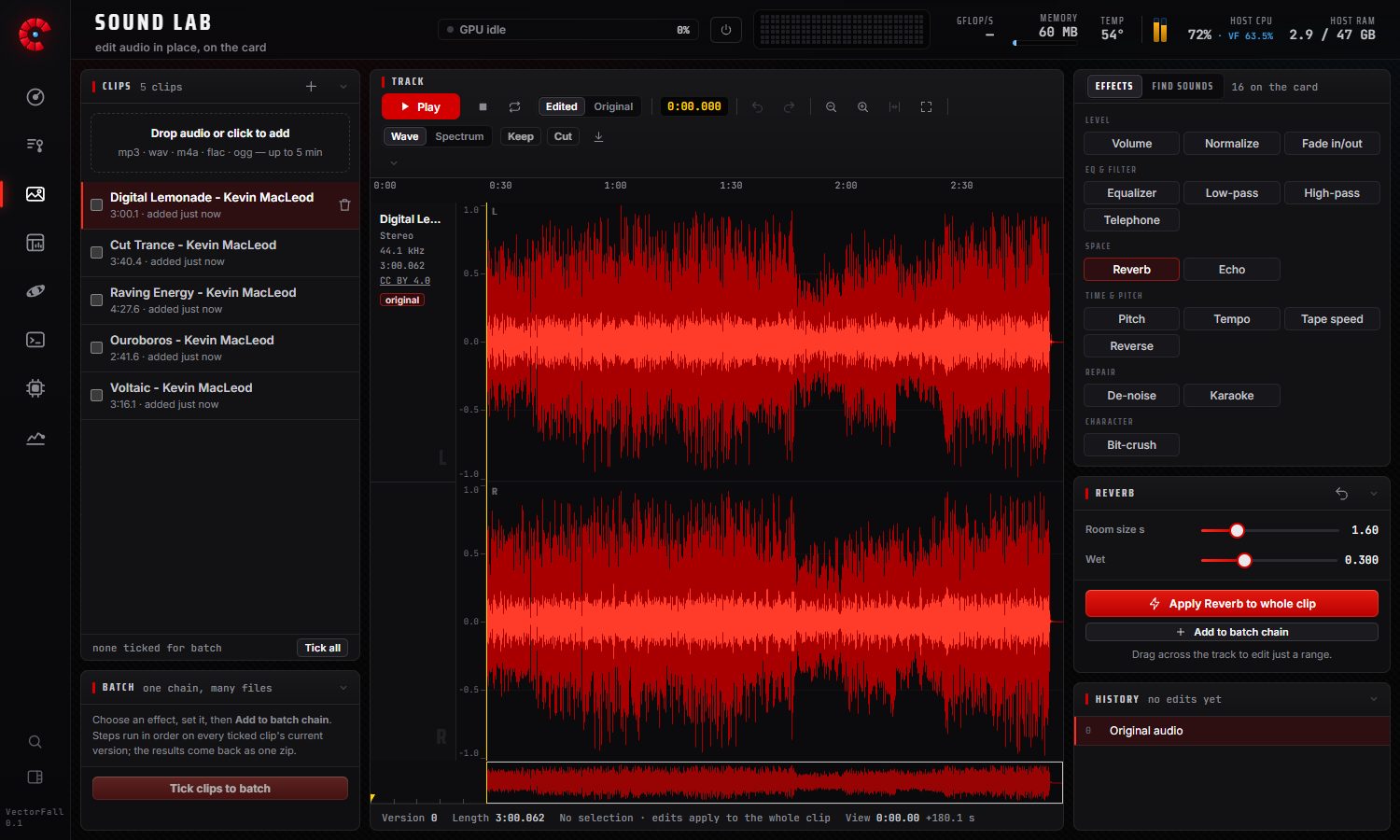
Edit audio in place on the card: 16 effects, from equalizer and reverb to de-noise and karaoke, with undo history. Mark one or two examples of a sound, and the lab finds the other times it happens, with timestamps. Apply one chain of effects to many files.
Text
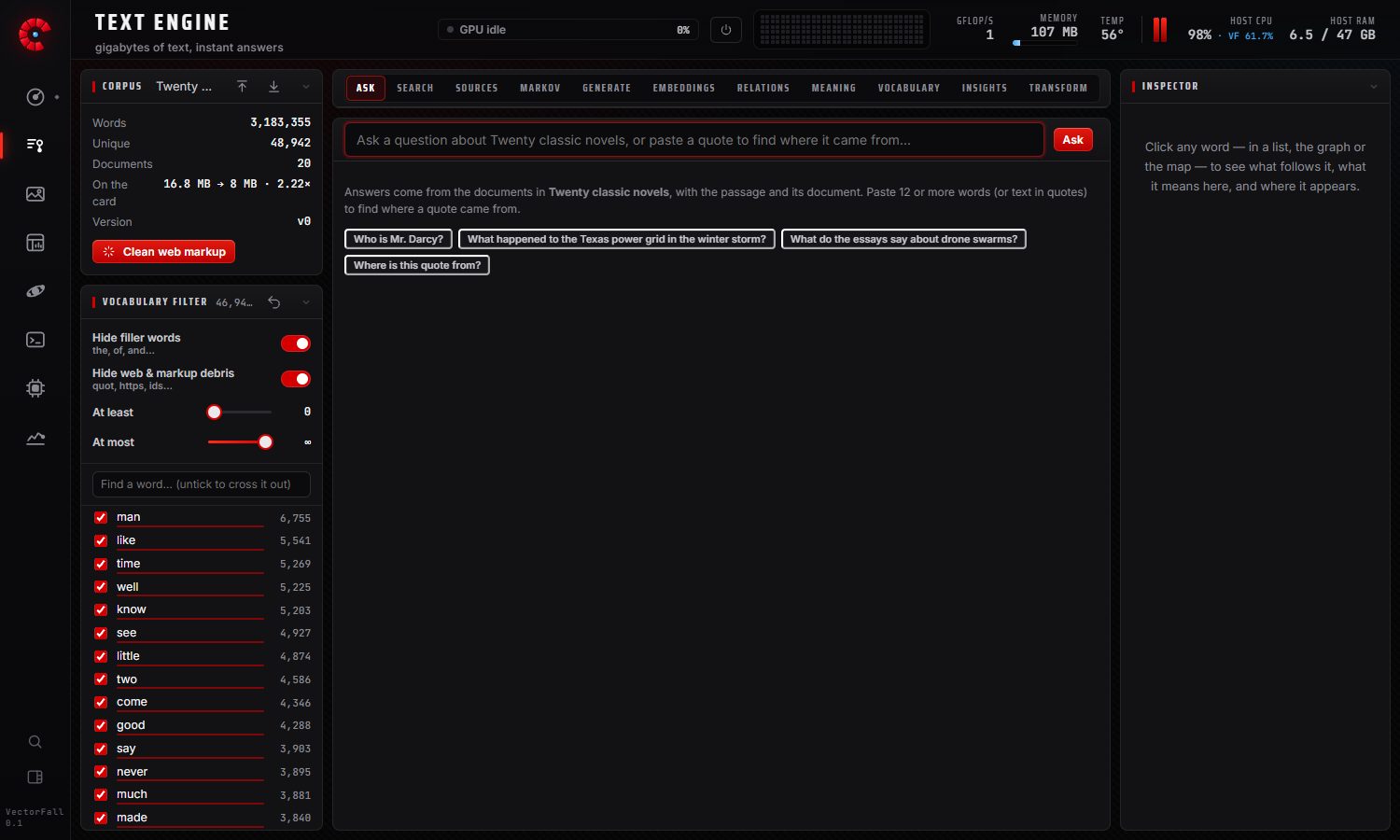
Text Engine
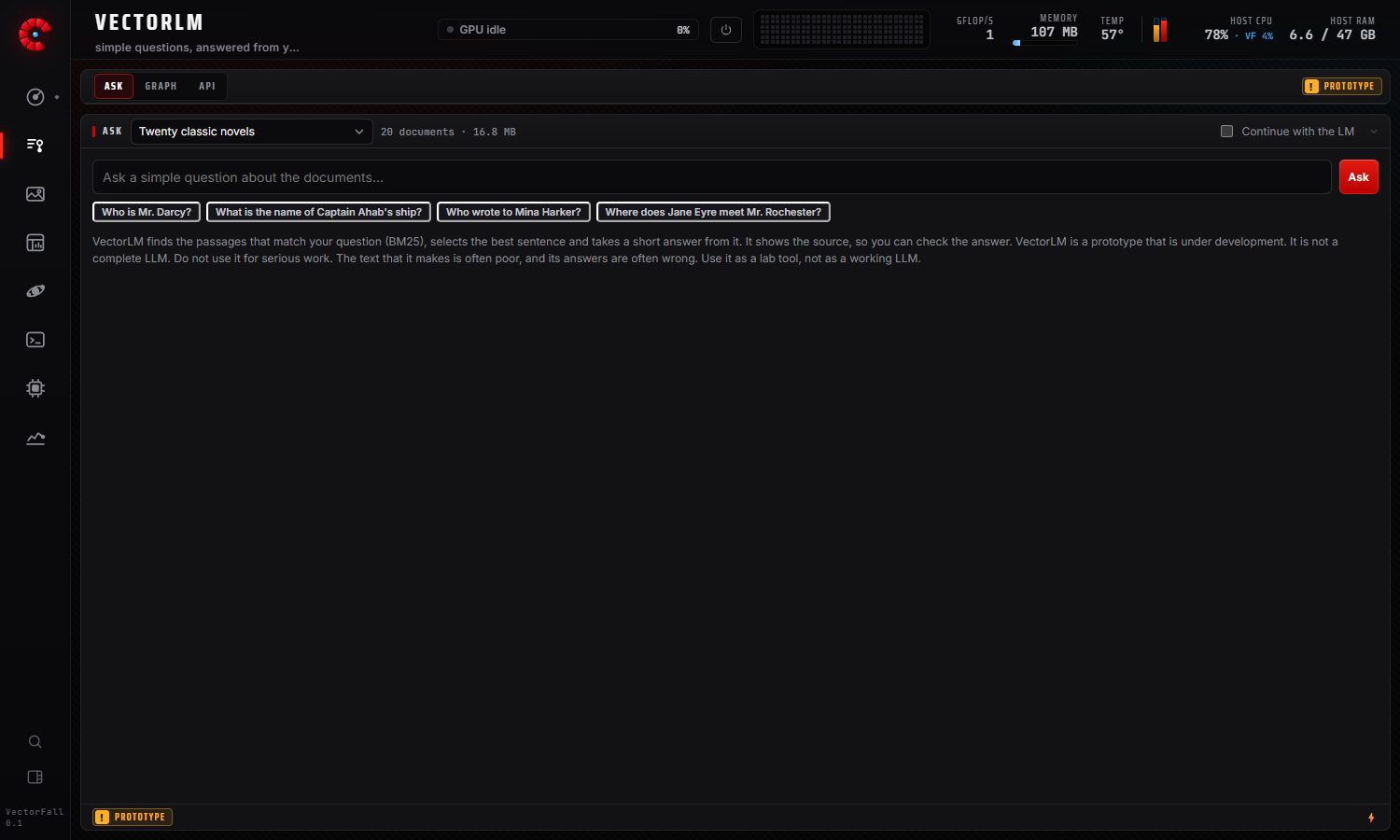
Load gigabytes of text and ask questions. Answers come from your documents, with the passage and the document that it came from. Paste a quote to find where it came from. The sample corpus is twenty classic novels: 3.2 million words, packed 2.2 times on the card.
Populations
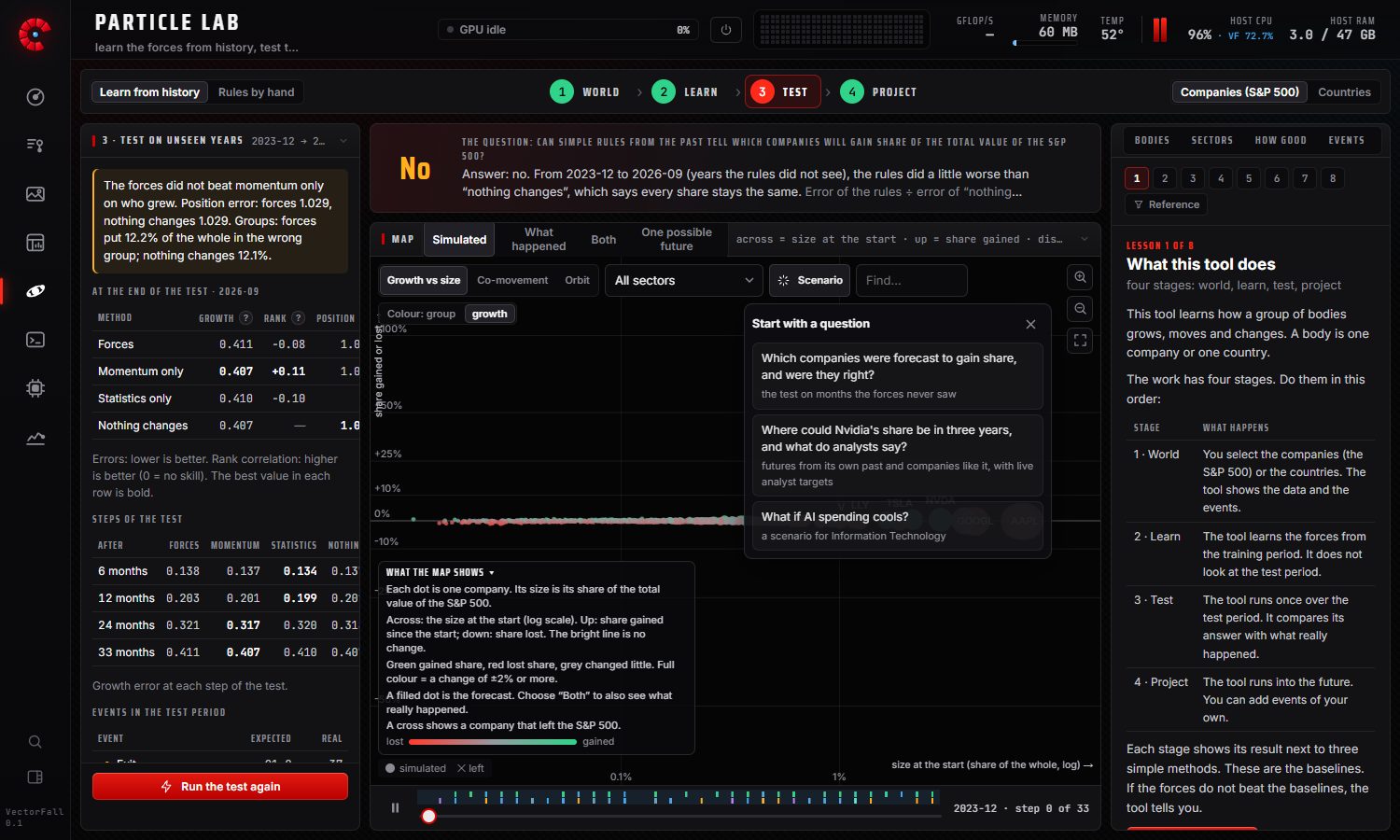
Particle Lab
Treat a population as an N-body system: companies in the S&P 500 or countries. The lab learns the forces from history, then tests them on years that it did not see, against momentum and against “nothing changes”. In this capture the forces did not beat the baselines, and the lab says so.
Monte Carlo
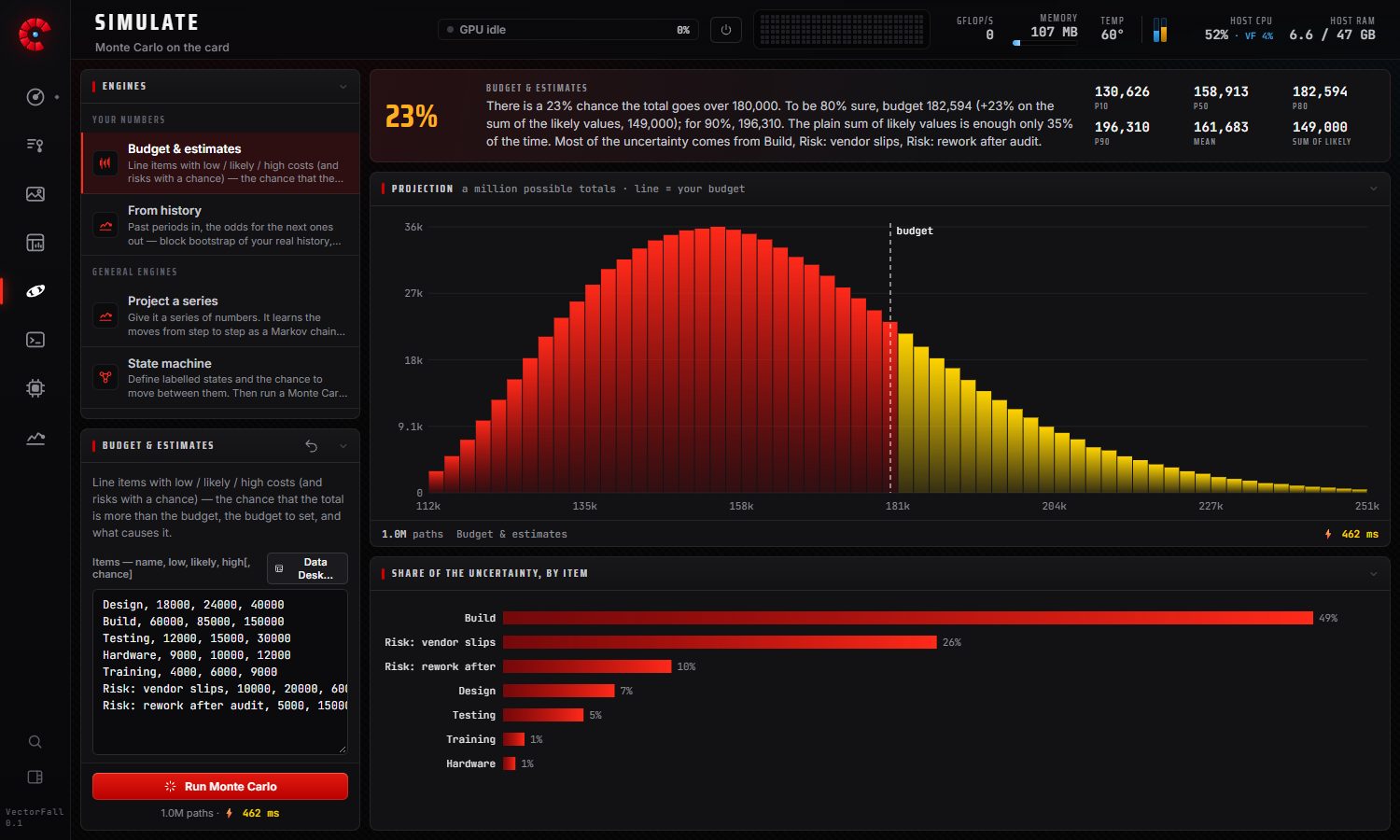
Simulate
Give line items with low, likely and high costs, and risks with a chance. A million Monte Carlo paths on the card give the chance that the total goes over the budget, the budget to set for 80% or 90% certainty, and the items that cause the uncertainty. Other engines start from your history or from a state machine.
Optimisation
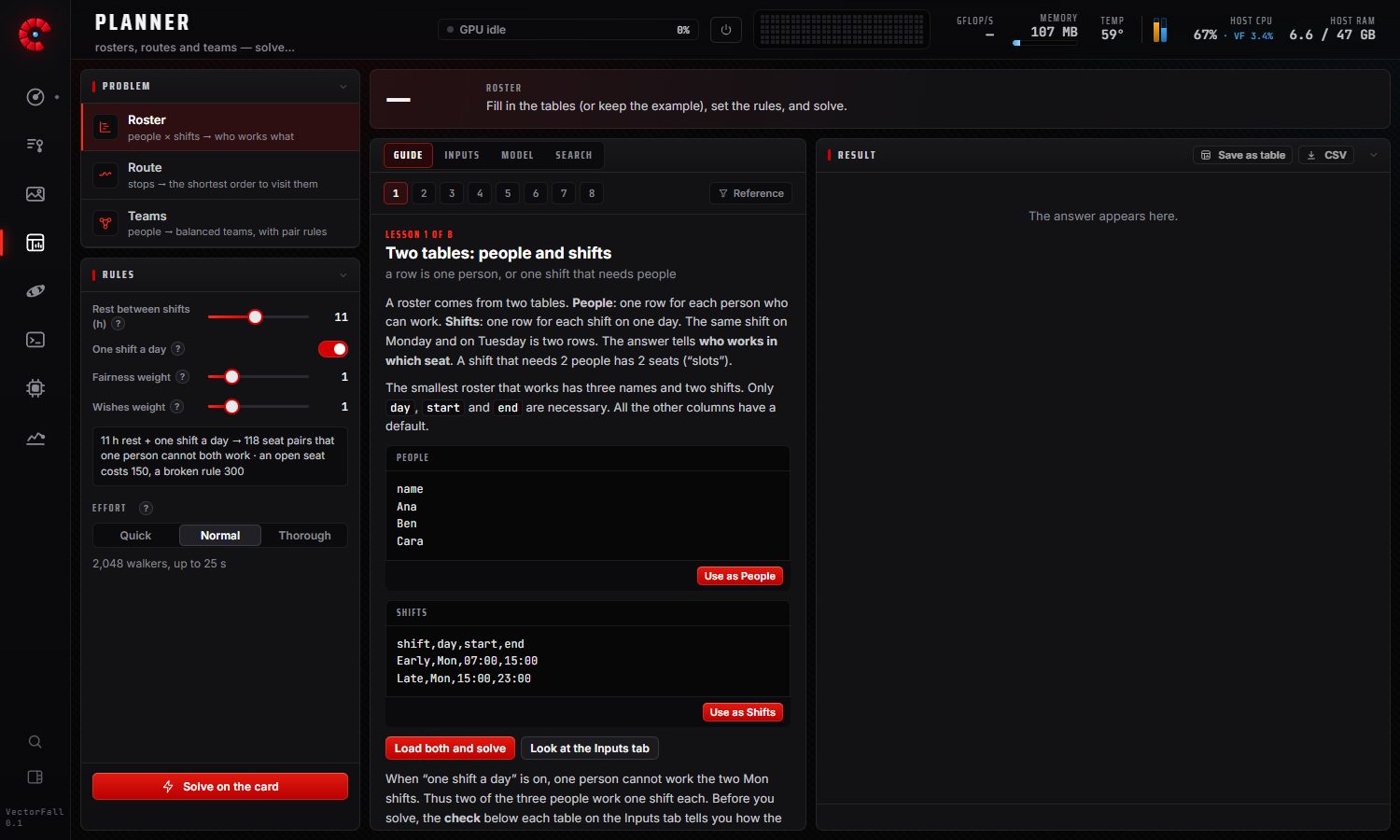
Planner
Build rosters, routes and fair teams. You give the people, shifts or stops and the rules. Thousands of walkers on the card search for a solution, and the result is checked against a greedy plan. Lessons in the tool explain each input.
Python on the GPU
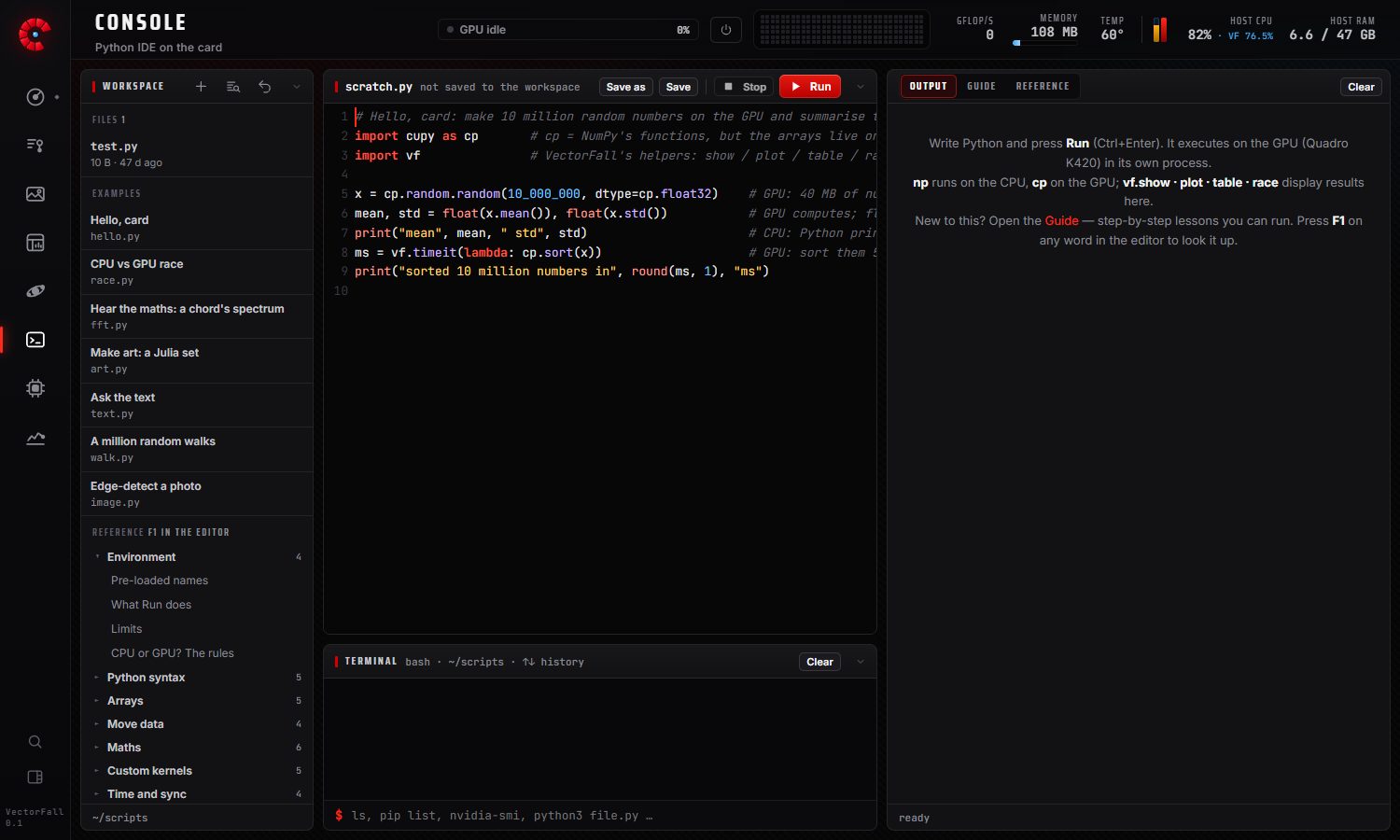
Console
Write Python and run it on the card, with CuPy for the GPU and NumPy for the CPU. Examples include a CPU against GPU race, the spectrum of a chord, a Julia set and a million random walks. The reference in the editor explains each name.
Hardware
One image, multiple NVIDIA architectures
The container uses CUDA 10.2 and CuPy 9.6. CUDA 10.2 supports the older Kepler compute capabilities used by the 1 GB Quadro K420.
On newer cards, the driver can compile the portable PTX code for the card. VectorFall sizes its work to the card’s cores and
available memory. The table identifies the cards exercised in testing.
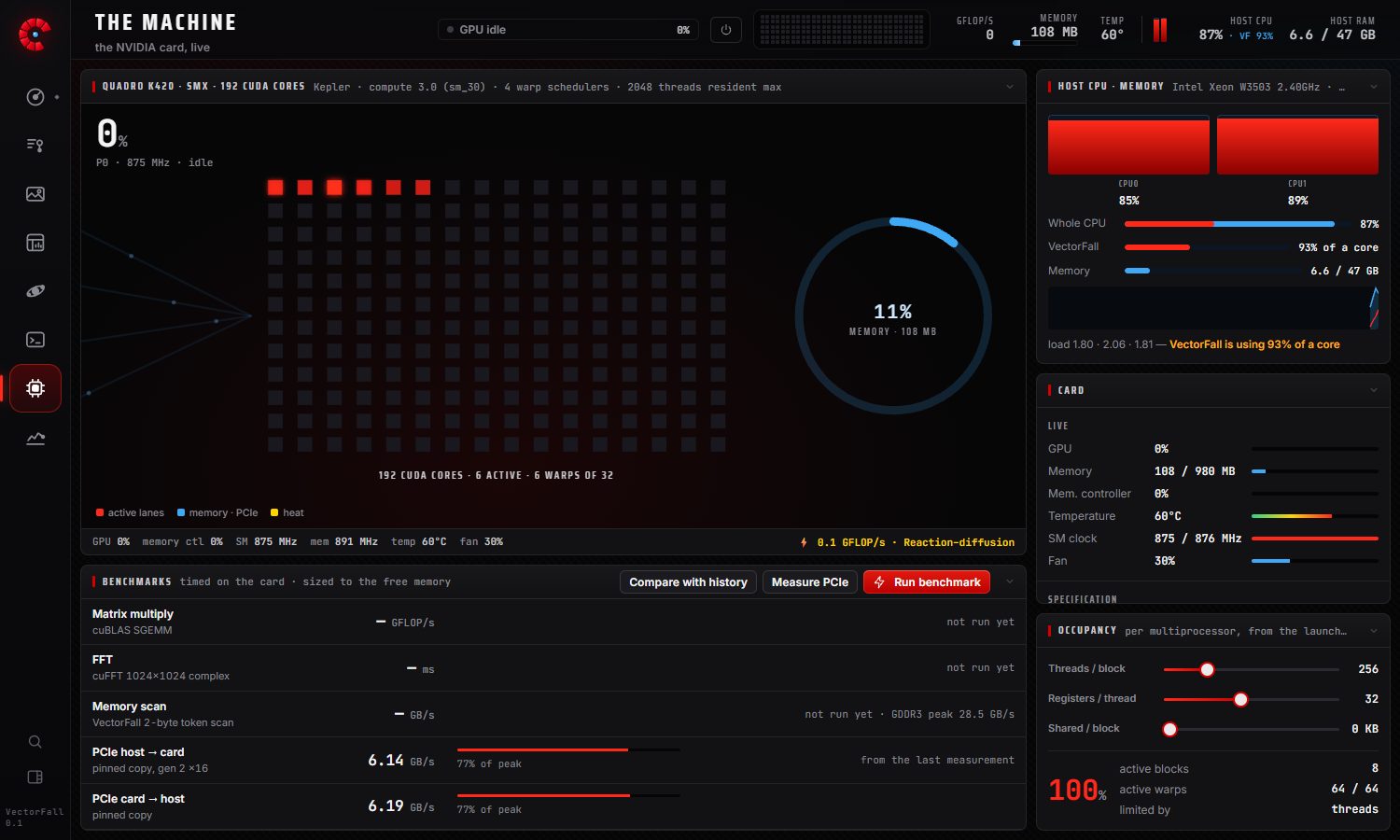
The Machine view draws the card that you have: its
multiprocessors and CUDA cores, the active warps, memory, PCIe link, clocks and temperature, live. Benchmarks are timed on the card and
sized to its free memory.
Architecture
Compute
Examples
Status
Kepler
sm_30–sm_37
Quadro K420 to K6000, GTX 600/700, Tesla K40/K80
Tested: Quadro K420
Maxwell
sm_50–sm_53
Quadro K1200, M4000, GTX 750/900
Tested: Quadro K1200
Pascal
sm_60–sm_62
GTX 10 series, Quadro P series, Tesla P100
Tested: GTX 1080
Volta, Turing
sm_70–sm_75
Titan V, RTX 20 series, GTX 16 series, T4
Expected to work
Ampere
sm_80–sm_87
RTX 30 series, A100, A2000
Tested on an earlier candidate: RTX 3080
Ada
sm_89
RTX 40 series, L4
Expected to work (PTX)
Hopper, Blackwell
sm_90–sm_120
H100, RTX 50 series
Expected to work (PTX)
Use the 470 driver branch for the Quadro K420. Choose a driver supported by your GPU and host operating system.
VectorFall runs on one card at a time and divides long work into short launches for cards with a display watchdog.
Lineage
Your card against the Crays and the TOP500
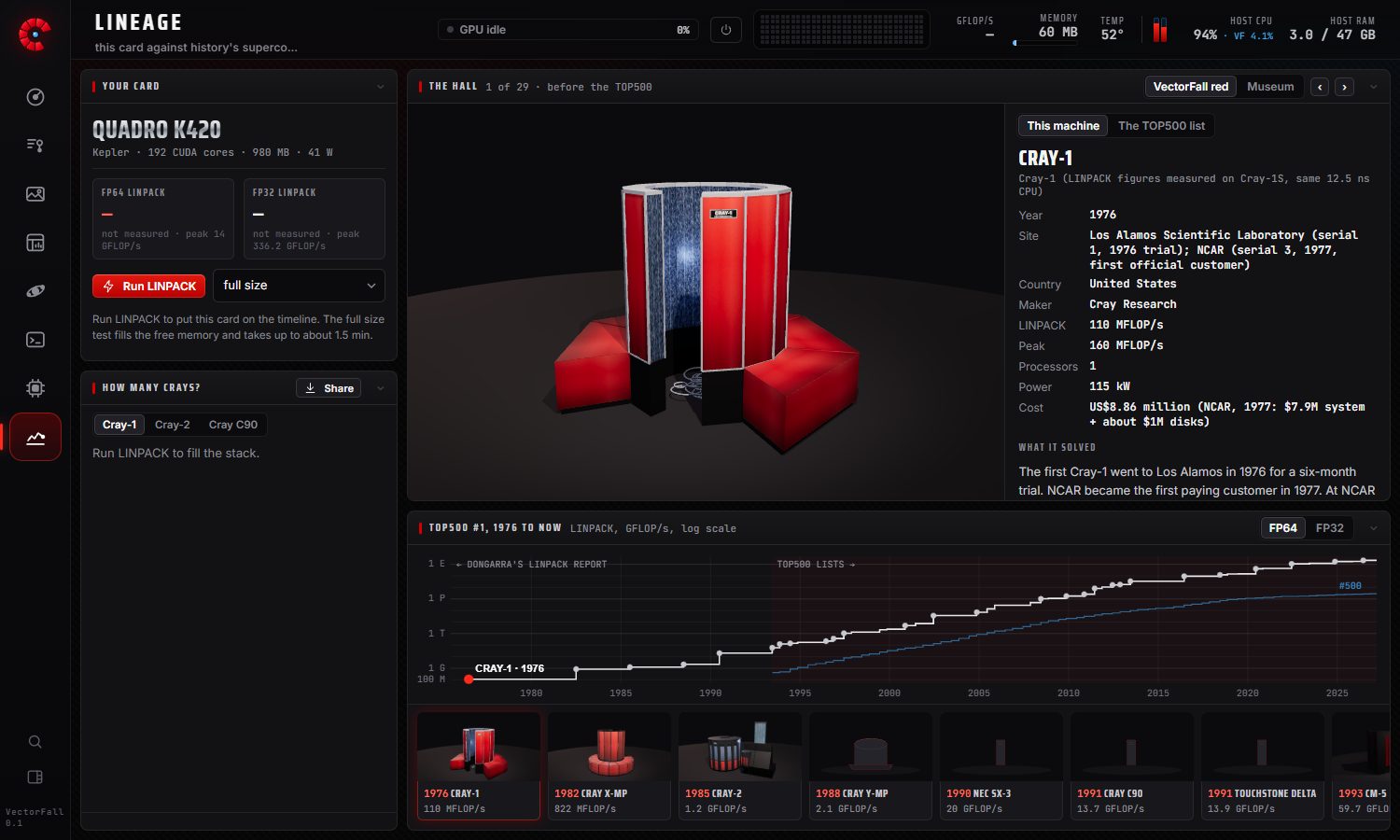
The Lineage view runs LINPACK on your card and puts the measured result on the timeline of the fastest computers: Jack Dongarra’s
LINPACK reports from the Cray-1 in 1976, then every number one of the TOP500 list. Each machine is drawn in 3D to scale, with its year, site,
LINPACK result, power, cost and what it solved. The comparison uses measured FP64 LINPACK, not peak figures.
Quadro K420 · 1 GB · 41 W
8.4 GFLOP/s FP64
Measured LINPACK. In 1989 no computer in the world was faster. That is about 76 Cray-1s.
GeForce GTX 1080
198.6 GFLOP/s FP64
Measured LINPACK. That is more than every number one of the TOP500 list from June 1993 to November 1995.
The Lineage museum
History’s fastest computers, in 3D
These are the 29 machines of the Lineage view: the record holders of Jack Dongarra’s LINPACK report before 1993, then the number
ones of the TOP500 list. Each one is drawn in code with three.js, to scale, from museum photographs and published dimensions. Drag to turn a
machine, use the arrows to walk through the hall, and switch between VectorFall red and the original museum colours.
1 of 29
This browser has no WebGL, so the hall shows a still image of each model.
Before the TOP500
Cray-1
Cray-1 (LINPACK figures measured on Cray-1S, same 12.5 ns CPU)
Year
1976
Site
Los Alamos Scientific Laboratory (serial 1, 1976 trial); NCAR (serial 3, 1977, first official customer)
Country
United States
Maker
Cray Research
LINPACK
110 MFLOP/s
Number one
Processors
1
Power
115 kW
Cost
US$8.86 million (NCAR, 1977: $7.9M system + about $1M disks)
What it solved
The first Cray-1 went to Los Alamos in 1976 for a six-month trial. NCAR became the first paying customer in 1977. At NCAR it did about 4.5 times the work of the CDC 7600 it joined. NCAR says it allowed big advances in modeling climate and severe storms, and it ran there for almost 12 years.
TOP500 number one, 1976 to now · LINPACK, log scale
The Lineage art is code-drawn by VectorFall with three.js 0.160.0. Figures: TOP500 Rmax from top500.org for the lists since June 1993;
for earlier machines, LINPACK from Dongarra’s performance report. The two lines are measured FP64 LINPACK on a Quadro K420 and a GeForce GTX 1080.
Install
Install in 3 commands
On Linux with Docker or Podman and the NVIDIA driver. The installer checks the driver and GPU access, asks which card to use, gets the
image, starts the server and shows the address. Then open http://localhost:8092 in a browser.
curl -fsSLO https://raw.githubusercontent.com/ahtx/vectorfall/v0.1.0/install.sh
bash install.sh
vfctl status
What you need
Linux on an x86-64 computer, or Windows with Docker Desktop and WSL2
An NVIDIA card and its driver
Docker with the NVIDIA Container Toolkit, or Podman with an NVIDIA CDI spec
About 3 GB of disk for the image
Look after it with vfctl
vfctl status: container, card, version, address
vfctl doctor: checks, with a fix for each problem
vfctl gpu select: choose the card
vfctl backup: save the data folder
Your data stays local
The server listens on this computer only (127.0.0.1) unless you change VF_BIND.
Your tables, text, audio and photos stay in the VectorFall data folder.
For AI agents
Every operation is a tool
Each VectorFall operation is one registered model. The same declaration serves the web interface, the REST API (/v1, OpenAPI 3.1),
JSON-RPC 2.0 (/v1/rpc, OpenRPC), MCP (/mcp, streamable HTTP) and the vf command-line client. One function checks the
parameters for all five, so a bad value gets the same message everywhere. An agent can load your data, run a lab and read the score against the
baseline, the same as you do in the browser.
Connect an MCP client
claude mcp add --transport http vectorfall 'http://localhost:8092/mcp?tools=plan,problem'
Use ?tools=plan,problem for a focused tool set or ?tools=discover to browse tool groups and read
individual schemas as needed. Tool names use _ in place of ., for example sim_finance.
REST: POST /v1/models/<model> with the parameters as JSON; documents at /v1/openapi.json and /v1/docs.
Personal Supercomputing with VectorFall
The free guide starts with installation and a CPU/GPU comparison. Work through examples for your own data, from balancing teams and
simulating budgets to finding sounds and connecting an AI agent over MCP.
VectorLM, a prototype. VectorLM finds the passages that match a question in your documents (BM25), selects the best sentence
and takes a short answer from it. It shows the source so you can check the answer. It is a prototype under development, not a complete language model:
use it as a lab tool, not for serious work.
Licence
Free for non‑commercial use
VectorFall is released under the PolyForm Noncommercial License 1.0.0.
Personal use, study, research, hobby projects, and use by charities, schools, public research organisations and government institutions are
non-commercial uses. Commercial use, such as use in a business, in a product or service that you sell, or in a hosted service for customers,
needs a commercial licence. Some parts of the image have their own licences; the NOTICE file lists them.